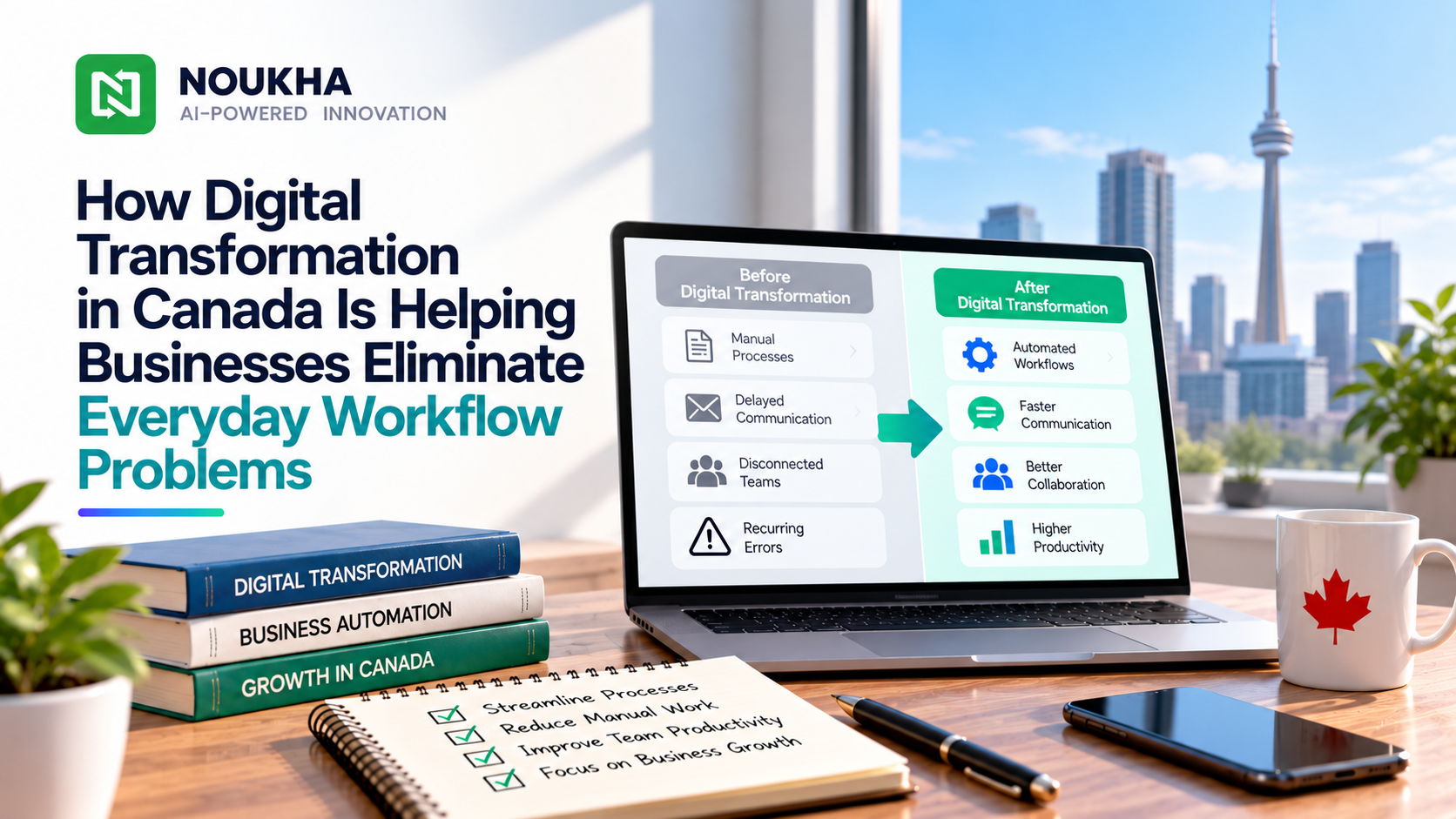
Ask a manager at almost any Canadian business what slows the week down, and the answers sound familiar. A customer request gets retyped into three systems. An approval sits in someone’s inbox for days. A spreadsheet that only one person understands quietly becomes the backbone of the whole operation. These frictions look small, but together they cost hours, invite mistakes, and wear down staff morale. That is why digital transformation in Canada is moving from a buzzword to a practical toolkit that helps companies replace patchwork processes with connected, dependable systems. This article explains which everyday problems technology can genuinely fix, how to begin sensibly, and which Canadian factors deserve attention along the way.
The Everyday Workflow Problems Holding Businesses Back
Before choosing any technology, it helps to name the problem precisely. Most operational trouble falls into a few recognizable patterns.
Manual Data Entry and Duplicate Records
When the same customer detail or order number is typed into several places, errors are almost guaranteed. One system says an invoice is paid, another says it is still open, and someone spends an afternoon reconciling the two. Over time, staff stop trusting the data, which leads to even more manual checking.
Approval Bottlenecks and Lost Handoffs
Purchase requests, leave forms, and quality sign-offs often travel by email or on paper. Nobody can see where a request is stuck, so people chase each other with reminders. The task itself may take ten minutes, while the waiting takes ten days.
Disconnected Tools and Hidden Information
Sales keeps notes in one tool, operations in another, and finance in a third. Each team sees only part of the picture, so decisions rely on guesswork or on whoever happens to remember the details.
How Modernizing Operations Removes These Problems
Automating Repetitive Steps
Workflow automation handles rule-based tasks such as routing an approval to the right person, sending reminders, generating documents, or flagging an order that looks wrong. The goal is not to replace people. It is to free them from copy-and-paste work so they can focus on exceptions, customers, and decisions that need judgment.
Connecting Systems Through Integrations
Instead of retyping information, connected systems can pass it along automatically through APIs or integration platforms. An online order can update inventory, trigger an invoice, and notify the warehouse without anyone touching a keyboard. Having a reliable, consistent source of data is often one of the biggest improvements in data quality that businesses notice. Each connection should use proper authentication and be reviewed periodically, since an unmonitored integration can become a weak point.
Giving Managers Real-Time Visibility
Dashboards that pull live data let leaders see backlogs, delays, and workloads as they develop rather than in a monthly report. Problems get caught while they are still small and cheap to fix.
What This Looks Like in Practice
The scenarios below are illustrative rather than case studies, but they reflect patterns common across industries. A small heating and cooling contractor that juggles a shared calendar and paper work orders could move to a job-tracking system where dispatch, parts, and billing live in one record, so a finished visit generates the invoice the same day. A regional distributor buried in emailed purchase orders could offer customers a portal to enter orders directly, removing the retyping step and the mistakes that come with it. An accounting practice that chases clients for documents could use a secure upload area with automatic reminders, so staff spend less time on follow-ups and more time on advice.
Where Custom Web and Android Tools Make a Difference
Packaged software is the right answer for many needs, such as accounting or email. Custom tools tend to earn their cost when a process is specific to your business and no ready-made product fits without awkward workarounds.
Browser-Based Systems for Internal Operations
Teams that need portals, dashboards, or order-management tools often turn to web app development in Canada because browser-based software runs on any laptop without installation and supports role-based access for different departments. A customer portal can also let clients check order status or upload documents themselves, which reduces the volume of status-check emails and phone calls. Because browser-based software is centrally hosted and updated, fixes and new features can reach people without individual installations, although users may still need to refresh or sign in again.
Mobile Apps for Field and Warehouse Teams
Not every worker sits at a desk. Delivery drivers, technicians, and warehouse staff need tools that work in the hand. For businesses whose teams already carry Android devices, Android app development in Canada can produce apps that scan barcodes, capture photos of completed jobs, collect signatures, and sync records back to the office. Offline support can matter where connectivity is unreliable, such as rural areas or large industrial buildings.
Maintenance deserves a place in the plan too. Google Play updates its target API level requirements regularly. From August 31, 2026, new apps and app updates submitted to Google Play must target Android 16 (API level 36) or higher, with different minimums for Wear OS, Android Automotive OS, Android TV, and Android XR apps. An app that is not updated stays available to existing users, but it can lose visibility to new users on newer Android versions if its target level falls too far behind.
Check the latest Google Play requirements before you publish or update, and ask your developer who will handle that each year. If some of your staff use iPhones, it is also worth asking whether separate iOS development or a cross-platform framework suits you better.
Canadian Considerations to Check Before You Build
Privacy Law and Data Hosting
Privacy rules are where many projects get tripped up, so it is worth a few minutes here. Many private-sector businesses are subject to the federal Personal Information Protection and Electronic Documents Act (PIPEDA). In Quebec, British Columbia, and Alberta, a substantially similar provincial law generally applies instead. Quebec’s Law 25 adds specific assessment duties. It requires a privacy impact assessment for projects to acquire, develop, or overhaul an information system or electronic service that involves personal information, and before personal information is communicated outside Quebec.
Federal reform is also on the horizon. Bill C-36 was introduced and received first reading in the House of Commons on June 15, 2026. If enacted, it would replace Part 1 of PIPEDA with a new Protecting Privacy and Consumer Data Act. As proposed, organizations would have to complete a privacy impact assessment and put risk-mitigation measures in place before transferring or disclosing personal information outside Canada. At the time of writing it has not become law, so confirm its current status through official Canadian government sources before relying on it.
In practical terms, ask where your data and backups will be hosted, which third-party services will receive it, and how long it will be kept. This is general information rather than legal advice, and a privacy lawyer can confirm what applies to your sector.
Language and Accessibility
Canada has two official languages, English and French, at the federal level. Businesses that market, advertise, or offer products or services to Quebec consumers generally must make a French version of their commercial website available, and that version must be comparable in quality and completeness to any other language version. Plan translation and testing early rather than treating French as a last-minute add-on.
Accessibility deserves the same early attention. Ontario’s AODA requires public-sector organizations and Ontario organizations with 50 or more employees to make their websites and web content conform to WCAG 2.0 Level AA, subject to limited exceptions. Federally regulated organizations fall under the Accessible Canada Act instead, which has its own requirements. Beyond compliance, there is a practical upside: accessible design is usually easier and cheaper to build in from the start than to retrofit, and it makes your tool usable by more of your own staff and customers.
A Practical Way to Start Without Overspending
Many digital projects stall because they try to fix everything at once. A narrower approach tends to work better, and a short workshop with the people who do the work every day often surfaces problems that managers never see.
- Choose one painful workflow, such as invoice approvals or job scheduling, instead of the whole company.
- Record a baseline: how long the task takes, how often errors occur, and how many people touch it.
- Map the current process and remove unnecessary steps before automating anything.
- Build a small pilot with a few real users and gather feedback within weeks, not months.
- Train staff properly and name an internal owner who keeps improving the system after launch.
- Move to the next workflow only after the first one shows measurable improvement.
Business owners often ask how much a project like this will cost and how long it will take. Honest answers depend on scope, integrations, and compliance needs, so ask any provider for a phased estimate with clear assumptions rather than a single headline figure.
Mistakes That Keep Workflow Problems Alive
Automating a confusing process only makes the confusion faster, so fix the process first. Skipping change management is another common trap. Staff who were never consulted tend to invent workarounds, and the old spreadsheet quietly returns. Finally, building too much too early adds cost and slows adoption. Start with the essentials and let real usage decide what comes next.
How to Tell Whether the Change Is Working
Compare results against the baseline you recorded: time per task, error and rework rates, the number of status-check messages, and the time it takes to onboard a new employee. Track adoption too, because a technically perfect tool that nobody uses has not solved anything. Review the results after the first quarter and be willing to adjust or retire features that do not deliver measurable value.
Final Thoughts
Workflow problems rarely arrive as one dramatic failure. They show up as small delays, repeated typing, and information nobody can find. Businesses that make the most progress usually start small, fix one real process, measure the outcome, and build from there instead of chasing a large overhaul. With sensible planning around privacy, language, and long-term maintenance, technology can remove a surprising amount of daily friction. The real measure of success is simple: people spend less time fighting their tools and more time on work that matters.
If a specific workflow is slowing your team down, contact us to talk through what a practical first step could look like.