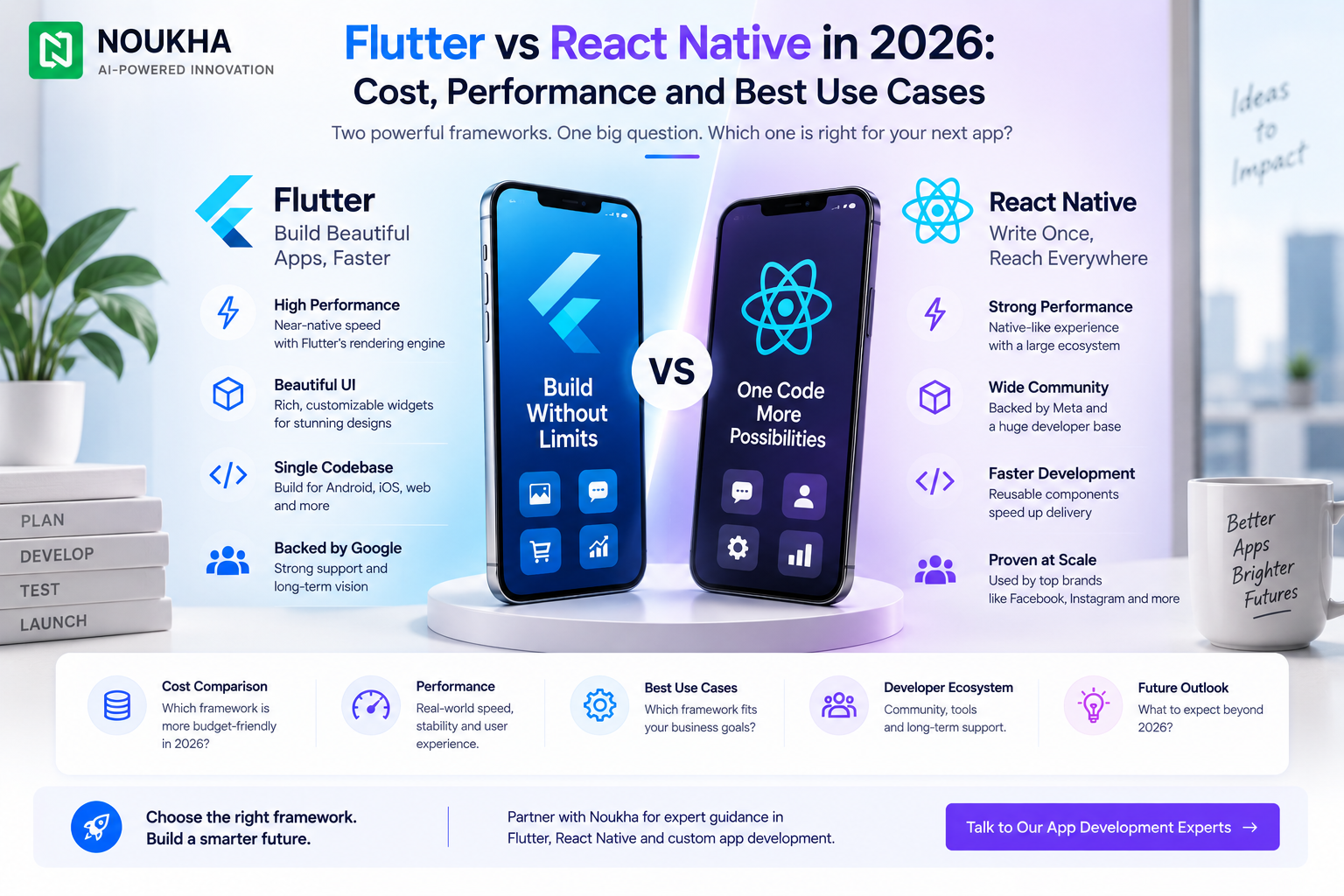
Flutter vs React Native in 2026: Cost, Performance and Best Use Cases
Quick answer: Flutter is often the stronger choice when a product needs highly consistent custom interfaces across iOS and Android. React Native is often the stronger choice when the company already has a mature React and TypeScript ecosystem, wants to reuse JavaScript skills, or expects deeper alignment with an existing web team. Neither framework is automatically cheaper or faster. The better option is the one that reduces product-specific risk over the full life of the app.
For US product teams, the decision should begin with the user experience, native-device requirements, release cadence and available engineering skills. Framework selection comes after those constraints are understood—not before.
Flutter and React Native at a glance
| Decision area | Flutter | React Native |
| Primary language | Dart | JavaScript or TypeScript |
| UI approach | Framework renders its own widget system | Uses React concepts with native platform components |
| Best organizational fit | Teams prioritizing cross-platform visual consistency | Teams with strong React and TypeScript capability |
| Native integration | Plugins and platform channels | Native modules and components |
| Typical advantage | Controlled, expressive UI across platforms | Familiar ecosystem and web-team alignment |
1. Performance: compare the workload, not the marketing claim
Both frameworks can produce smooth production apps when architecture, rendering, networking and state management are handled well. Most performance problems blamed on the framework are actually caused by oversized images, inefficient lists, excessive rebuilds, poorly designed APIs, blocking work on the main thread or unmeasured third-party packages.
Flutter compiles application code for target platforms and controls rendering through its widget and graphics layers. That makes it attractive for animation-heavy interfaces, branded experiences and products that need predictable visual behavior across devices. React Native maps React-based application logic to native interfaces. Its modern architecture provides more direct, type-safe ways to connect JavaScript and native code, while the Hermes engine continues to improve runtime behavior.
The correct evaluation method is a proof-of-concept using the hardest screen or workflow: a real-time chart, camera flow, map interaction, long feed, background task or complex animation. Measure startup time, memory, dropped frames, network latency and battery impact on representative devices. A generic benchmark cannot substitute for that test.
2. UI consistency and native feel
Flutter gives the product team detailed control over every visual element. A design system can remain remarkably consistent across iOS and Android because the interface is composed from Flutter widgets. This is useful for consumer brands, marketplaces, dashboards and applications where custom motion and pixel-level consistency are strategic.
React Native can feel closer to the platform by using native-backed components and platform-specific behavior. That is valuable when users expect each version to follow iOS and Android conventions closely. The trade-off is that the team must consciously manage differences between platforms rather than assume every screen should be identical.
Consistency is not always the goal. A banking confirmation flow may need platform-native conventions. A branded commerce discovery experience may benefit from a unified custom language. Define which screens must match and which should adapt before selecting the framework.
3. Development cost: where savings actually come from
Cross-platform development can reduce duplicated work, but a shared codebase does not mean every task is shared. App Store and Play Store release processes remain separate. Push notifications, deep links, subscriptions, accessibility, device permissions and analytics still require platform validation. Complex integrations may need Swift, Kotlin or native SDK work regardless of framework.
Flutter can lower design implementation effort when one controlled component system is desirable. React Native can lower staffing and onboarding costs when an organization already employs React developers and uses TypeScript across its web stack. The real budget should include discovery, UX, backend APIs, quality assurance, security, store launch and post-release monitoring—not only UI coding.
For a project-level estimate, review Noukha’s Flutter app development services in the USA and compare the planned scope with the broader mobile app development cost guide for the USA.
4. Talent, maintainability and ecosystem fit
React Native is often easier to introduce into organizations already using React, Node.js and TypeScript. Shared language knowledge can improve collaboration, code review and hiring flexibility. Yet web experience alone does not make someone a mobile engineer; lifecycle behavior, permissions, offline states, accessibility and store policies still require mobile expertise.
Flutter uses Dart, which may require new hiring or training. In return, teams get a coherent framework, integrated tooling and a UI model designed around Flutter from the beginning. The learning curve is usually manageable for experienced engineers, but it should be included in delivery planning.
Audit the packages required for authentication, maps, payments, camera, Bluetooth, analytics and other critical functions. Check maintenance activity, platform support and the availability of an escape route through native integration. Ecosystem size matters less than reliable support for the dependencies your product cannot operate without.
5. Native integrations and device-heavy features
Both frameworks can call native code. Flutter uses plugins and platform channels, while React Native provides native modules and components. The question is how much native work your roadmap is likely to require. Standard integrations are usually straightforward. Specialized hardware, background processing, advanced media, health data, low-level Bluetooth or newly released operating-system features may need native specialists.
Before committing, classify each planned integration as well-supported, custom native work or technically uncertain. Prototype the uncertain items during discovery. This prevents a framework decision made for routine screens from failing later on the one capability that differentiates the product.
6. Which framework fits which product?
- Choose Flutter when visual consistency, custom UI and a tightly controlled cross-platform design system are central to the product.
- Choose React Native when React and TypeScript are already strategic skills and the mobile product should align with that ecosystem.
- Consider native development when the app depends heavily on platform-first features, demanding background behavior or specialized hardware.
- Delay the decision when the product scope is still vague. A short architecture discovery is cheaper than rebuilding after an assumption fails.
A six-step decision process
- List the product’s critical user journeys and non-negotiable device features.
- Define where iOS and Android should look identical and where each should follow native conventions.
- Inventory existing engineering skills, backend standards and long-term ownership expectations.
- Score every high-risk integration and test uncertain capabilities in a proof-of-concept.
- Estimate total lifecycle cost, including QA, store operations, monitoring and upgrades.
- Choose the framework using documented product constraints, not a generic popularity ranking.
How Noukha approaches cross-platform selection
Noukha evaluates product goals, platform-specific requirements, team constraints and long-term maintenance before recommending a stack. Businesses that want to compare delivery options can review both the Flutter app development company in USA page and the React Native app development company in USA page. The objective is not to force every idea into one framework; it is to choose an architecture that remains supportable after launch.
Questions to answer before requesting an estimate
A useful development estimate needs more than a feature list. State the supported platforms, minimum operating-system versions, authentication method, payment model, offline behavior, notification requirements, analytics stack, accessibility expectations and administrative workflows. Identify every external system and whether its API documentation is available. These details influence architecture and effort more than the framework name.
Also describe the expected release rhythm. A startup testing one core journey every two weeks has different needs from an enterprise coordinating quarterly releases across security, legal and operations teams. The framework should support the organization’s real approval and deployment process. If the internal team will maintain the product, include its skills and coding standards in the evaluation.
Finally, define success in measurable terms. Examples include crash-free sessions, startup time on a mid-range device, task completion rate, accessibility targets and the maximum acceptable time to ship a feature across both platforms. These measures turn “Flutter vs React Native” from an opinion debate into an engineering decision that can be validated.
Frequently asked questions
Is Flutter faster than React Native?
There is no universal winner. Flutter can be especially predictable for custom rendering, while modern React Native has removed important legacy bottlenecks. Real performance depends on the product workload, dependencies, architecture and implementation quality. Prototype the hardest workflow and measure it.
Which is cheaper: Flutter or React Native?
Either can be more economical. Flutter may reduce effort for a highly consistent custom interface. React Native may reduce staffing cost for a React-heavy organization. Compare total lifecycle cost rather than developer hours alone.
Can Flutter or React Native handle enterprise apps?
Yes, when the app uses disciplined architecture, automated testing, security controls, observability and a release process. Enterprise suitability is an engineering-practice question as much as a framework question.
Can we change frameworks later?
Yes, but a complete rewrite is expensive. A modular backend, clean domain boundaries and well-defined APIs reduce lock-in. Some teams migrate feature by feature rather than replacing the entire app at once.
Final recommendation
Choose Flutter for a design-led, visually controlled cross-platform product when the team is comfortable investing in Dart. Choose React Native when React and TypeScript alignment, native component behavior and organizational familiarity create a clear delivery advantage. If a single integration could make or break the product, validate that integration before approving the framework.