
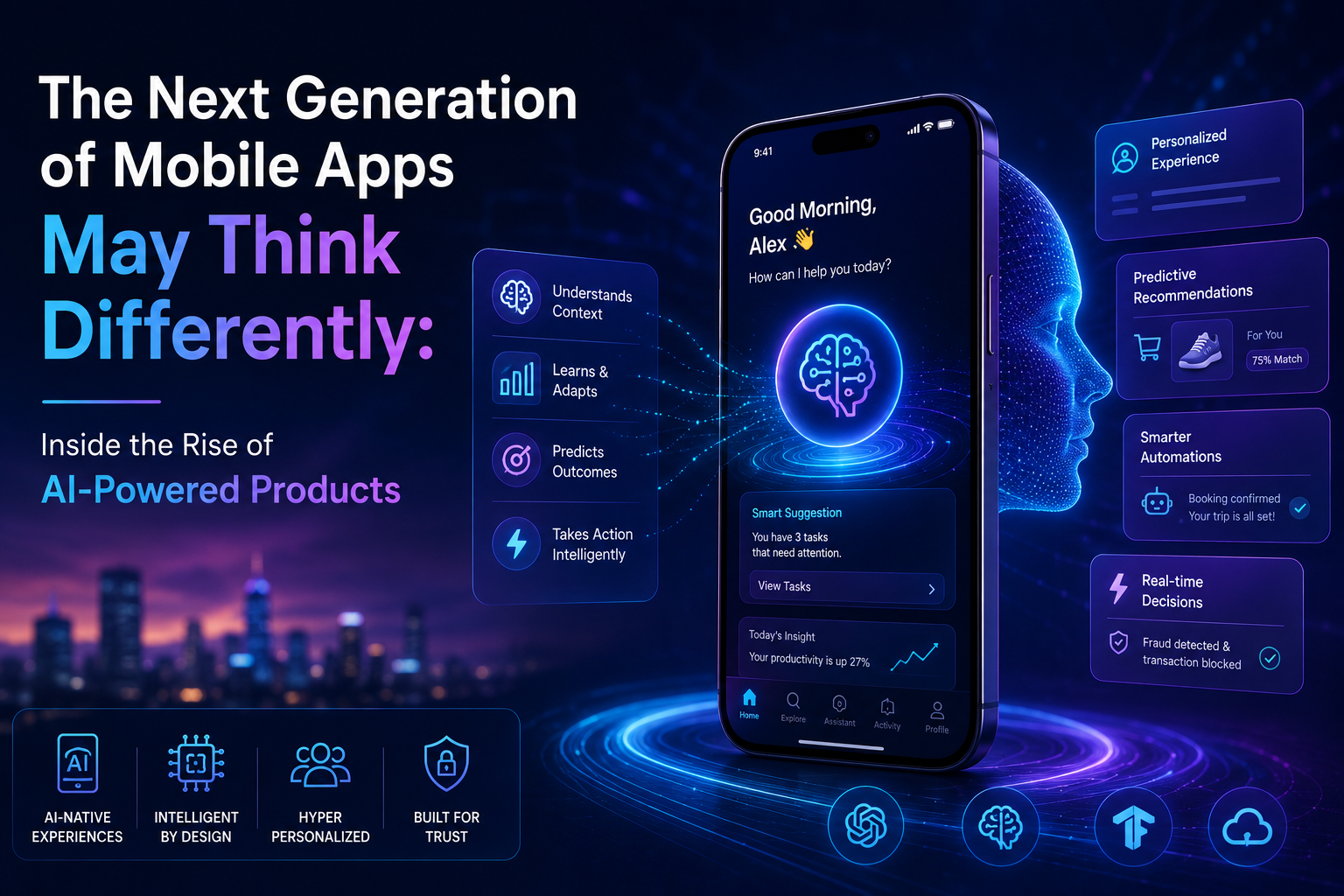
AI-powered apps are changing the way modern mobile experiences work. Open almost any app updated in the last year and something feels subtly different. The screen doesn’t just wait for a tap; it seems to anticipate one. This shift isn’t accidental. A wave of AI-powered app development in the USA is rethinking what an app is supposed to do from the moment it opens, moving away from static menus toward products that interpret situations, understand context, and respond directly to users.
This isn’t just a design trend. It reflects a deeper change in how software is built – one where reasoning, prediction, and context replace rigid navigation trees. Here’s what’s actually driving this shift, and what it means for the apps people use every day.
From Reactive Screens to Apps That Anticipate
Traditional mobile apps are reactive by design. A user taps a button, the app responds with a predetermined screen, and nothing happens until the next tap. This model worked well for over a decade, but it puts the entire burden of figuring out what to do next on the user.
Newer apps flip that relationship. Instead of waiting passively, they draw on prior behaviour, current context, and live data to surface the most relevant action before the user has to search for it – a calendar app suggesting a travel buffer, or a banking app flagging an unusual charge without being asked.
What’s Technically Different About These Apps
The shift toward “thinking” apps rests on a handful of technical changes that have matured enough in the past two years to become practical at consumer scale.
Multimodal Understanding
Apps are no longer limited to text input. Many can now interpret a photo, a voice note, or a scanned document in the same conversation, letting users communicate however is most natural for the task at hand.
Reasoning Across Multiple Steps
Rather than answering a single query, newer models can break a request into steps – checking a calendar, comparing two options, then drafting a response – within one continuous interaction instead of separate isolated actions.
Context That Persists Across Sessions
Where older apps forgot everything the moment they closed, many current apps retain relevant details between sessions, so a user doesn’t have to re-explain their situation every time they return.
Faster On-Device Processing
Newer smartphone chips include dedicated processors for machine learning tasks, letting apps handle recognition and prediction locally rather than sending every request to a remote server, which improves both speed and privacy.
Combining these capabilities without making an app feel cluttered or slow takes careful engineering. An AI-focused app development team in the USA typically prototypes each capability separately before merging them, since stacking too many intelligent features into one interaction often confuses users more than it helps them.
How This Is Changing App Design and User Experience
Interface design is adapting alongside the underlying technology, and several patterns are becoming common across categories.
Fewer Menus, More Conversation
Deeply nested settings screens are giving way to simple prompts where users describe what they want, and the app locates the right function instead of making them hunt for it.
Dynamic Interfaces That Reorganise Themselves
Rather than a fixed layout for every user, some apps now rearrange which features appear first based on what a specific person actually uses, rather than what a designer assumed everyone would want.
Explainable Suggestions
Well-designed intelligent apps show a short reason behind a suggestion – “based on your last three orders” – which builds user trust far more effectively than an unexplained recommendation.
Real Examples of Where This Is Already Happening
This shift isn’t theoretical – it’s visible across categories people interact with daily.
Health and Fitness Apps
Instead of a static weekly plan, many fitness apps now adjust workouts based on sleep quality, recovery signals, and missed sessions, treating the plan as a living document rather than a fixed schedule.
Travel and Booking Apps
Booking platforms increasingly handle multi-part requests – comparing flight and hotel combinations, factoring in a stated budget – in a single exchange instead of requiring separate searches for each piece.
Productivity and Note-Taking Apps
Note apps can now summarise a long meeting recording, extract action items, and draft a follow-up message, cutting a task that once took twenty minutes down to a quick review.
Each of these categories required a different approach to model selection and data handling, which is why businesses building in this space often turn to an experienced AI mobile app development company in the USA rather than attempting to retrofit intelligence onto an app that wasn’t architected for it from the start.
What Users Should Watch For Before Trusting an AI-Powered App
Not every app that claims to “think” is doing so responsibly, and a few checks help separate genuinely useful products from surface-level features.
Clear Data Handling Disclosures
Trustworthy apps explain what information is used to generate a suggestion and whether that data leaves the device, rather than burying the detail in a lengthy privacy policy.
A Visible Way to Correct or Override
Good products let users dismiss or correct a suggestion easily, which also helps the app improve rather than repeating an unhelpful pattern.
Consistent Performance, Not Just Impressive Demos
A feature that works well in a marketing video but breaks under everyday, messy real-world input isn’t ready for regular use – reliability across ordinary conditions matters more than polish in ideal ones.
Frequently Asked Questions
What makes an app “AI-powered” instead of just having a smart search feature?
An AI-powered app uses machine learning to shape core behaviour – anticipating needs, adjusting layouts, or completing multi-step tasks – rather than limiting intelligence to a single search or chat function.
Are AI-powered apps slower or more battery-intensive than traditional apps?
Not necessarily. Many tasks now run on dedicated on-device chips built for machine learning, which are often more efficient than sending every request to a remote server.
Is my personal data less secure in an app that uses AI?
Not inherently. Responsible apps process sensitive tasks on-device where possible and disclose clearly when data is sent to an external model, keeping the same security standards as traditional apps.
Will AI-powered apps replace the need for traditional app navigation entirely?
Unlikely in the near term. Most well-designed products blend conversational, predictive features with familiar navigation, since some tasks are still faster to complete with a direct tap than a typed request.
How can a business start building an AI-powered mobile app?
The most practical starting point is identifying one repetitive or high-effort task within an existing app and testing whether an intelligent feature can meaningfully simplify it before expanding further.
Final Thoughts: Apps Are Learning to Meet Users Halfway
The apps gaining real traction today aren’t the ones with the flashiest AI branding – they’re the ones that quietly reduce the number of decisions a user has to make. That takes more than adding a chat window; it requires rethinking how an app understands context, explains itself, and earns a user’s trust over time.
Have a product idea you’d like to explore? Contact us today to talk through what’s possible and where to begin.