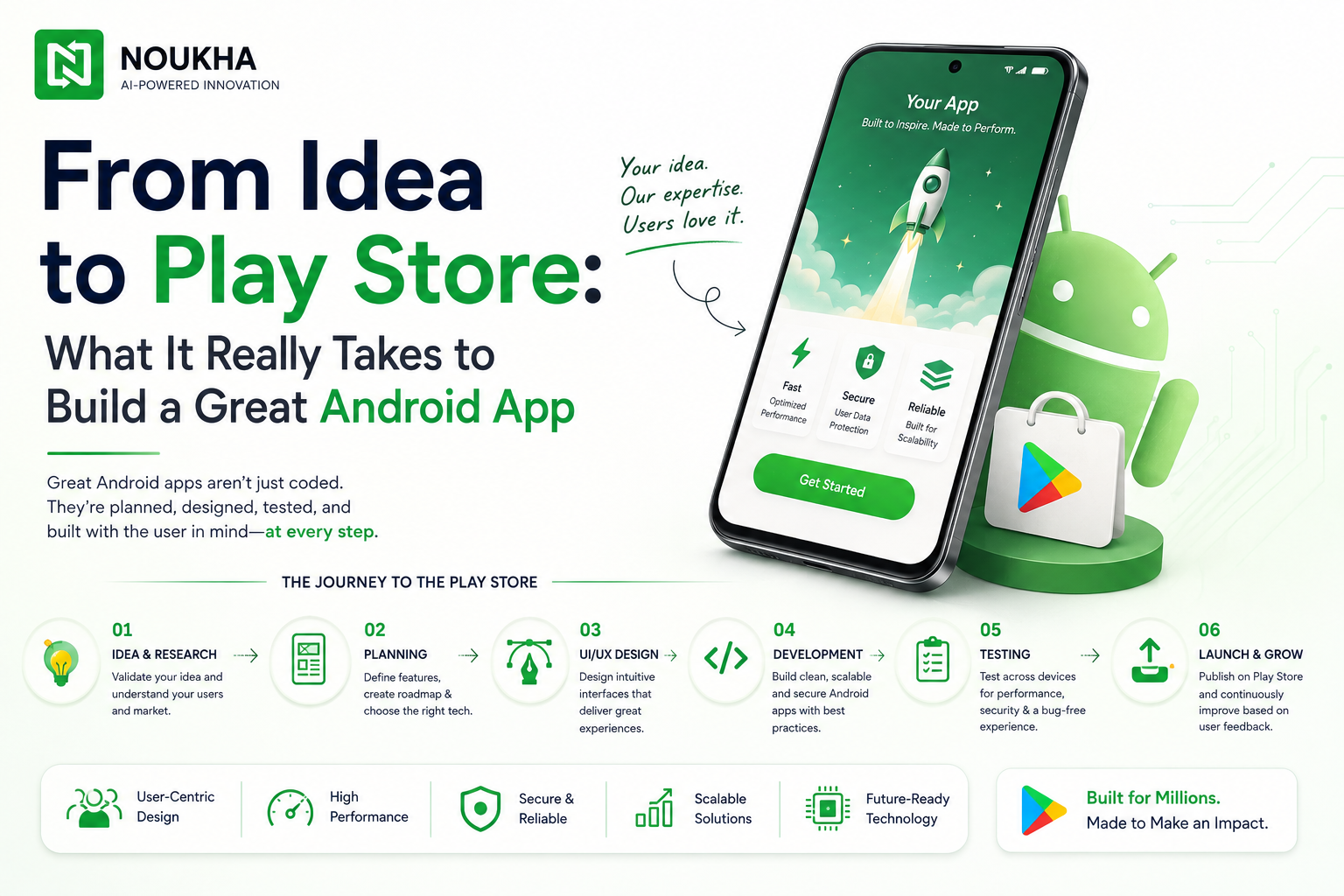
Every great Android app starts as a simple thought scribbled on a notes app or discussed over coffee. But turning that thought into a polished product sitting on millions of phones is a completely different journey. It takes structured planning, thoughtful design, disciplined engineering, and a clear understanding of what the Google Play Store actually rewards. Businesses in South India increasingly rely on a trusted Android app development company in USA to guide them through this process, because building an app that survives beyond launch day requires far more than writing code.
This guide breaks down the real, practical steps behind building a great Android app in 2026 -from validating your idea to publishing it successfully on the Play Store.
Why Most App Ideas Never Become Great Apps
Thousands of app ideas are conceived every day, yet only a small fraction ever reach the Play Store, and fewer still gain real traction with users. The gap usually isn’t the idea itself -it’s execution. Weak market research, rushed design, poor performance testing, and unclear monetisation plans are the most common reasons apps fail to gain adoption.
Understanding this gap early helps founders and businesses approach app development with realistic expectations and a proper roadmap instead of jumping straight into coding.
Step 1: Validating the Idea Before Writing a Single Line of Code
Idea validation is the foundation of any successful mobile product. Skipping this stage is one of the costliest mistakes a business can make.
Market and Competitor Research
Study existing apps solving a similar problem. Look at their ratings, user reviews, and complaints on the Play Store -this reveals unmet needs your app could address.
Defining the Target Audience
A clear picture of who will use the app -their age group, habits, device preferences, and pain points -shapes every later decision, from UI choices to feature priority.
Setting Measurable Goals
Whether the objective is user retention, transactions, or lead generation, defining success metrics upfront keeps the entire development process focused and outcome-driven.
Step 2: Planning the App’s Architecture and Feature Set
Once the idea is validated, planning determines how smoothly the build phase will go.
MVP vs Full-Featured App
Most successful Android apps begin as a Minimum Viable Product (MVP) – a lean version with only core features. This allows real user feedback to guide future updates instead of guesswork.
Choosing the Right Tech Stack
Kotlin remains the preferred language for native Android development in 2026, supported by Jetpack Compose for modern, declarative UI building. For cross-platform needs, Flutter continues to be a strong choice when budgets or timelines call for a single codebase across Android and iOS.
Backend and API Planning
Scalable backend architecture, secure APIs, and cloud infrastructure (such as Firebase or AWS) need to be mapped out early, especially for apps expecting rapid user growth.
Many founders underestimate how much backend planning affects long-term performance. Partnering with experienced app development experts in US at this stage often prevents costly re-architecture later, since scalability issues are far cheaper to solve on paper than after launch.
Step 3: Designing an Interface Users Actually Enjoy
Design isn’t decoration – it directly affects retention, engagement, and app store ratings.
Following Material Design Guidelines
Google’s Material Design system ensures consistency, accessibility, and familiarity for Android users, reducing the learning curve for new users.
Prioritising Usability Over Aesthetics
A visually striking screen means little if navigation confuses users. Wireframes and clickable prototypes should be tested with real users before development begins.
Designing for Different Screen Sizes
Android’s device fragmentation – from budget phones to foldables – makes responsive layouts and adaptive design essential rather than optional.
Step 4: Building the App – Development Best Practices
This is where the product takes shape technically.
Writing Clean, Maintainable Code
Following architecture patterns like MVVM (Model-View-ViewModel) keeps codebases organised, testable, and easier to scale as new features are added.
Integrating Third-Party Services Carefully
Payment gateways, analytics tools, and push notification services should be integrated with attention to data privacy and app performance, not just feature completeness.
Building for Performance From Day One
Optimising app size, reducing battery drain, and minimising load times aren’t final-stage tasks – they should be considered throughout development to avoid expensive rework.
Step 5: Testing – The Stage Most Teams Rush Through
Insufficient testing is one of the leading causes of poor Play Store ratings and early uninstalls.
Functional and Usability Testing
Every feature should be tested across multiple Android versions and device types to catch inconsistencies before real users do.
Security Testing
With Google tightening data-safety requirements, apps must be tested for vulnerabilities, secure data storage, and compliance with permission best practices.
Beta Testing With Real Users
Google Play’s internal and closed testing tracks allow a small group of real users to interact with the app before a full public rollout, surfacing issues automated testing often misses.
Step 6: Preparing for a Successful Play Store Launch
A great app can still underperform if the launch itself is handled poorly.
Meeting Google Play’s Current Policies
Google regularly updates its Play Console requirements, including target API level mandates, Data Safety section accuracy, and stricter review timelines for permissions-heavy apps. Staying compliant avoids rejection delays.
Optimising the Play Store Listing (ASO)
App Store Optimisation – keyword-rich titles, clear descriptions, quality screenshots, and preview videos – directly influences discoverability and download rates, much like SEO does for websites.
Planning a Phased Rollout
Releasing the app gradually to a percentage of users helps catch crash reports and performance issues before a full-scale release, reducing the risk of mass negative reviews.
From policy compliance to listing optimisation, launch preparation is often where independent developers struggle most. Working with skilled Custom Android app development in US ensures the submission process is handled correctly the first time, avoiding avoidable rejections and delayed launches.
Step 7: What Happens After Launch Matters Just as Much
Publishing the app is a milestone, not the finish line.
Monitoring Crash Reports and Analytics
Tools like Firebase Crashlytics and Google Play Console vitals help teams catch issues quickly and understand real user behaviour.
Listening to User Reviews
Reviews often reveal usability gaps that internal testing missed. Responding to feedback and shipping timely updates builds user trust and improves ratings over time.
Planning Regular Updates
Consistent updates – whether bug fixes, new Android OS compatibility, or feature additions – signal to both users and the Play Store algorithm that the app is actively maintained.
Frequently Asked Questions
How long does it take to build an Android app?
A basic MVP typically takes 8 to 12 weeks, while a full-featured app with custom backend integration can take three to six months, depending on complexity and team size.
How much does Android app development cost?
Costs vary widely based on features, design complexity, and backend requirements. Simple apps may start in the lower budget range, while apps with real-time features, payment integration, or AI capabilities require a larger investment.
Is Kotlin still the best choice for Android apps in 2026?
Yes. Kotlin remains Google’s recommended language for native Android development, offering strong performance, safety features, and long-term support through Jetpack libraries.
What causes Play Store app rejections?
Common causes include incomplete Data Safety disclosures, misleading metadata, broken functionality, policy violations around permissions, and non-compliance with target API level requirements.
Do I need a native app or is a cross-platform app enough?
If performance and deep hardware integration are priorities, native development is preferable. For faster, budget-conscious builds targeting both Android and iOS, a cross-platform framework like Flutter is often sufficient.
Final Thoughts: Building an App Is a Process, Not an Event
Turning an idea into a great Android app takes far more than technical skill – it demands research, disciplined planning, thoughtful design, rigorous testing, and ongoing care after launch. Businesses that treat app development as an ongoing process rather than a one-time project are the ones that see lasting success on the Play Store.
Ready to bring your app idea to life? Contact us today to discuss your project and get a clear roadmap from concept to Play Store launch.