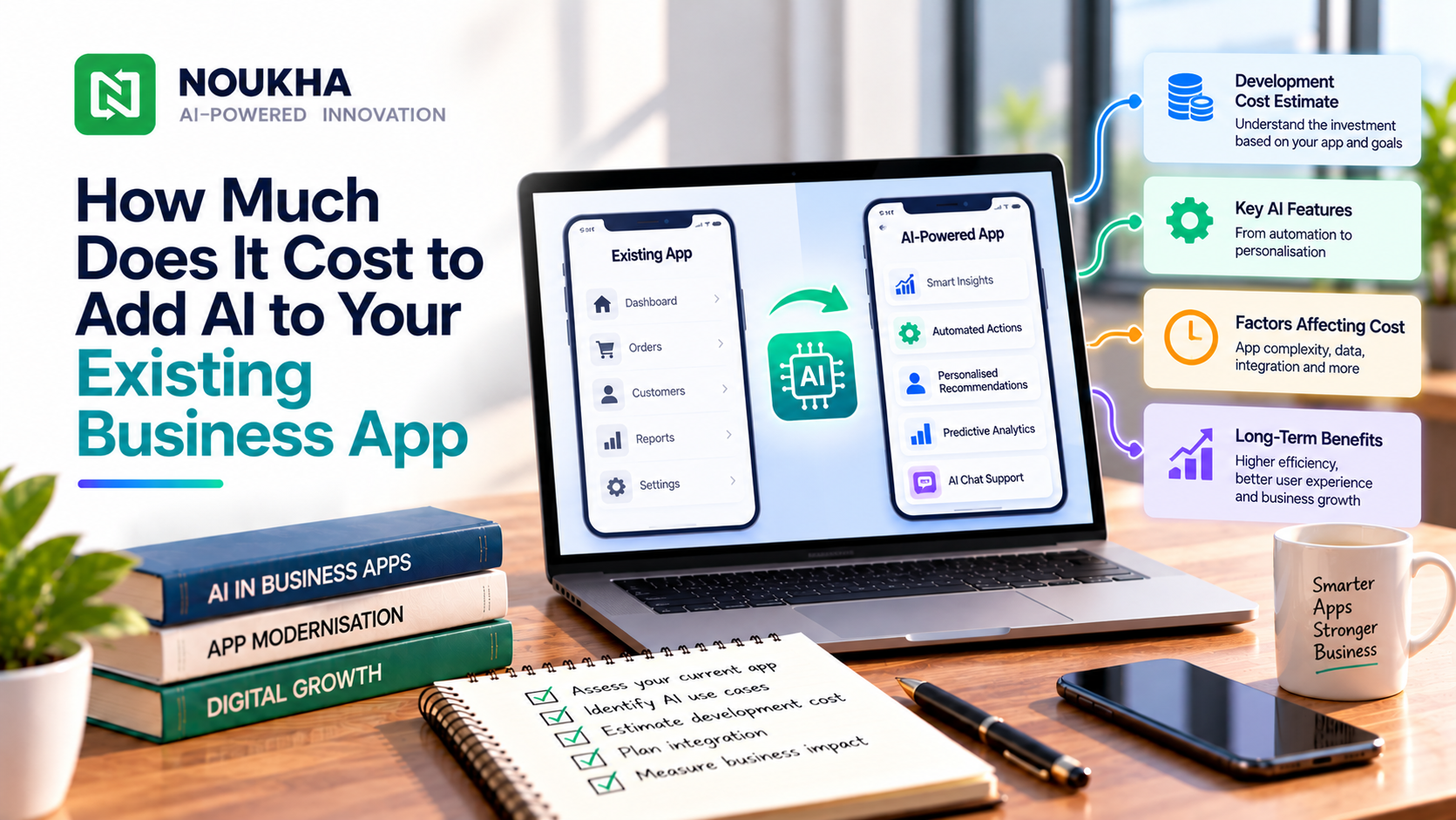
The cost to add AI to an existing app depends on the job you want AI to perform and how easily the current software can support it. A feature that summarizes a support ticket may need relatively little integration. A feature that reads company documents, respects user permissions and updates a CRM requires more engineering and testing.
An existing app gives you a starting point, but it does not remove the work around the AI model. To build a useful budget, separate the feature itself from data preparation, integration, evaluation and ongoing operation.
Start with one task worth improving
Choose a task that users already perform and describe the improvement you want. “Add AI” is too open-ended to estimate. “Prepare a support reply using the current ticket and approved help articles” gives the development team something concrete to assess.
Define what the feature will receive, what it should produce and what the user does next. A suggested reply that a person edits has different requirements from an automated response sent directly to a customer.
Also decide how success will be measured. You might want shorter preparation time, fewer missed details or easier access to information. Those goals help the team evaluate whether the feature is useful rather than merely impressive in a demonstration.
Check what the existing application can support
Before asking for a firm estimate, give the team access to appropriate technical information. They need to understand the codebase, backend, authentication, available APIs and deployment process.
A well-maintained application with documented interfaces may be easier to extend. An application with missing source code, tightly coupled components or unsupported dependencies may need additional work before the AI feature can be added safely.
User permissions deserve particular attention. If employees can only access certain customer records today, the AI feature must preserve those restrictions. It should not expose information simply because a search system can retrieve it.
Ask for a short assessment with findings and assumptions. It should distinguish work needed for the new feature from existing issues the team discovers during the review.
If another agency maintains the app, include that team in the assessment. Confirm who can approve changes, provide a test environment and release the update. Those dependencies affect the schedule and estimate.
Understand why different AI features cost different amounts
| Feature | Main work beyond the interface |
| Summarizing an existing record | Selecting the right content, testing factual coverage and handling errors |
| Searching internal documents | Preparing documents, retrieving relevant passages and preserving access rules |
| Extracting document fields | Validating values, handling difficult files and providing review tools |
| Taking actions in business systems | Integrations, authorization, approvals and recovery from failures |
These categories overlap, but they help explain why two features with similar chat interfaces can have different costs. The work behind the answer matters more than the appearance of the input box.
Our AI development cost breakdown by feature provides a broader way to organize the options. For an existing app, make sure the quote also includes changes to the surrounding product.
Build the initial budget from a defined scope
Consider a hypothetical ticket-summary feature that uses information already available inside an application. The following example shows how a team might organize an estimate. The hours and rate are assumptions for illustration, not a market benchmark or a Noukha quote.
| Work area | Assumed hours |
| Application assessment and feature design | 30 |
| Backend and model integration | 60 |
| User interface and permission handling | 35 |
| Evaluation and quality assurance | 45 |
| Deployment and documentation | 30 |
| Total | 200 |
At an assumed blended rate of USD 40 per hour, this example produces an initial build cost of USD 8,000. It excludes a new document search system, major application repairs, paid usage and ongoing support.
The purpose of the calculation is to make the scope visible. If your feature needs several integrations, different user roles or extensive data cleanup, those items need their own estimates. A generic price for an AI chatbot will not tell you whether they are included.
Budget for usage after the feature goes live
The build is one part of the cost. Depending on the design, ongoing charges may include model requests, document processing, search infrastructure, storage, monitoring and support.
Model providers may charge separately for input and output, with other charges depending on the features used. Anthropic’s pricing documentation, for example, distinguishes model token pricing from features such as caching and tool-related usage. Check the selected provider’s current terms when preparing the budget.
A simple planning formula is monthly completed tasks multiplied by the measured average paid usage per task, plus fixed infrastructure and support. Use measurements from a representative pilot. Long documents, retries and several model calls within one task can change the result substantially.
Keep the provider bill separate from the full operating cost. A low cost per model response does not include the people maintaining the application or reviewing difficult cases.
Include testing that reflects real user work
Create an evaluation set with ordinary inputs and awkward cases. For summaries, check whether important facts are omitted or invented. For document search, test whether the answer uses the right sources and respects access restrictions.
Decide what the interface should do when information is missing. It might ask a question, show the source material or offer a manual route. A confident response is not proof that the underlying answer is correct.
Test the application around the feature as well. What happens if the provider is slow, unavailable or returns an unusable result? Can the user continue the original task? These behaviors affect whether customers can depend on the product.
Roll out the feature in stages
Begin with a suitable group of users and a defined set of tasks. Observe the quality, response time, correction effort and actual operating costs. Keep the existing workflow available while the team resolves problems.
Expand when the results justify it. A feature that helps one department may need different data and permissions before it can serve another. Treat that expansion as a new scope decision rather than assuming the original integration covers every use case.
Ask the proposal to state who monitors the feature after launch, how changes are evaluated and what support includes. Models and external services can change, so the product needs an owner beyond the initial deployment.
Frequently asked questions
Can we add AI without rebuilding the app
Often, an application can be extended through its backend or supported integrations. The answer depends on its architecture, code access and the intended feature. An assessment should identify what can be reused.
Do we need to train our own AI model
Not necessarily. Existing models may be sufficient for tasks such as summarization or drafting. Choose the approach after testing the requirements, data and quality expectations.
Is connecting to an AI API the main cost
It is one component. Data preparation, permissions, interface changes, evaluation and operating support can account for substantial work around that connection.
What should we provide to get a useful estimate
Describe one user task, the current application, available data and required integrations. Include representative examples and state which actions need human review.
Plan an AI feature with Noukha
Share the task your users struggle with and how your existing application handles it today. Discuss AI app development with Noukha to assess a focused feature, its dependencies and the work needed around it.